
Once you have tested your feed and are happy with the results you have received and made any amendments to the feed that Google suggests, you can then upload the live feed.
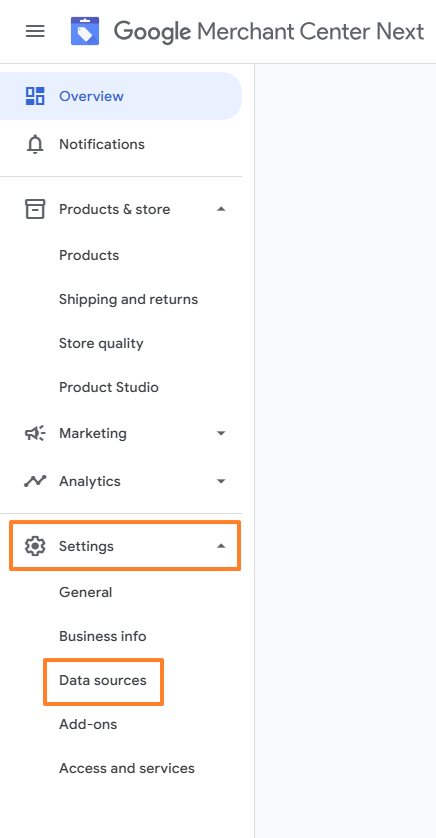
On your Google Merchant Centre, select Settings, then Data Sources
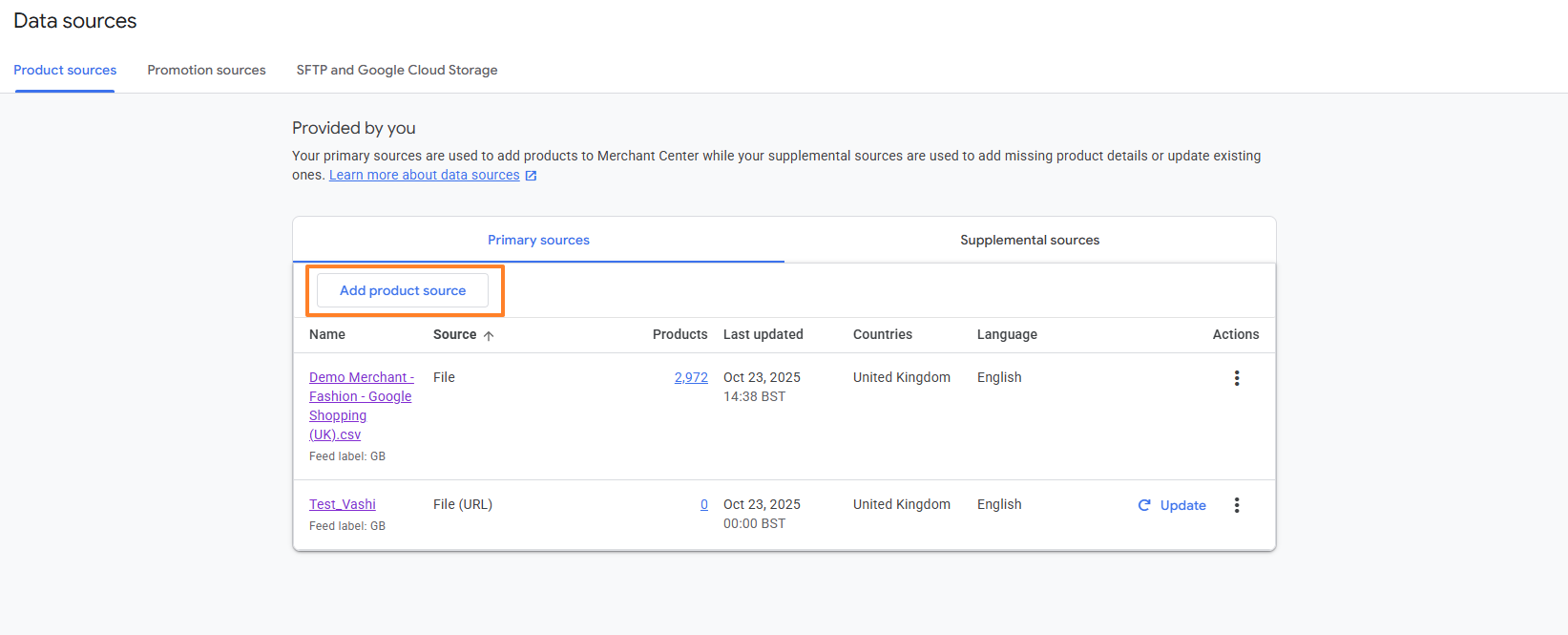
Click Add Product Source
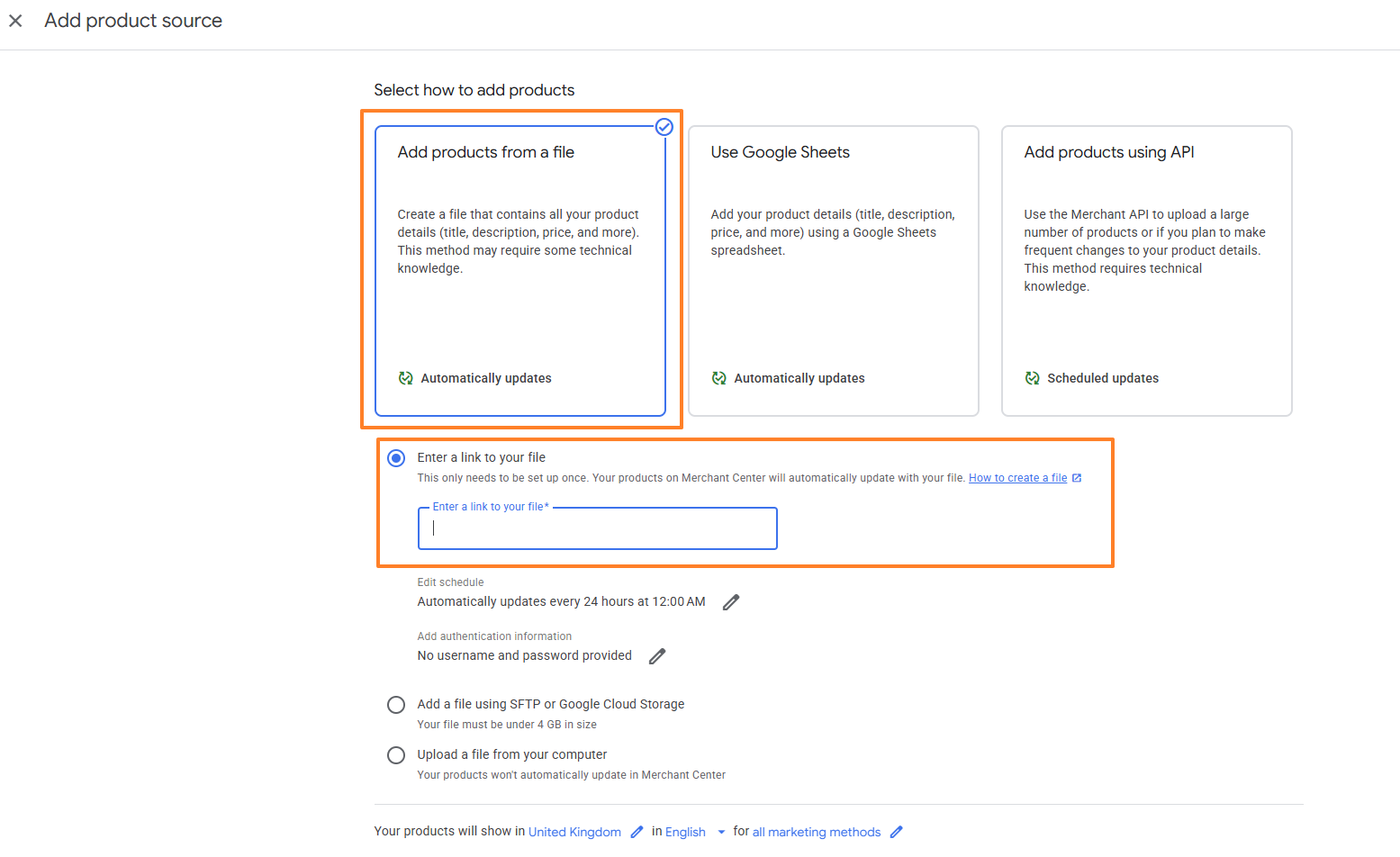
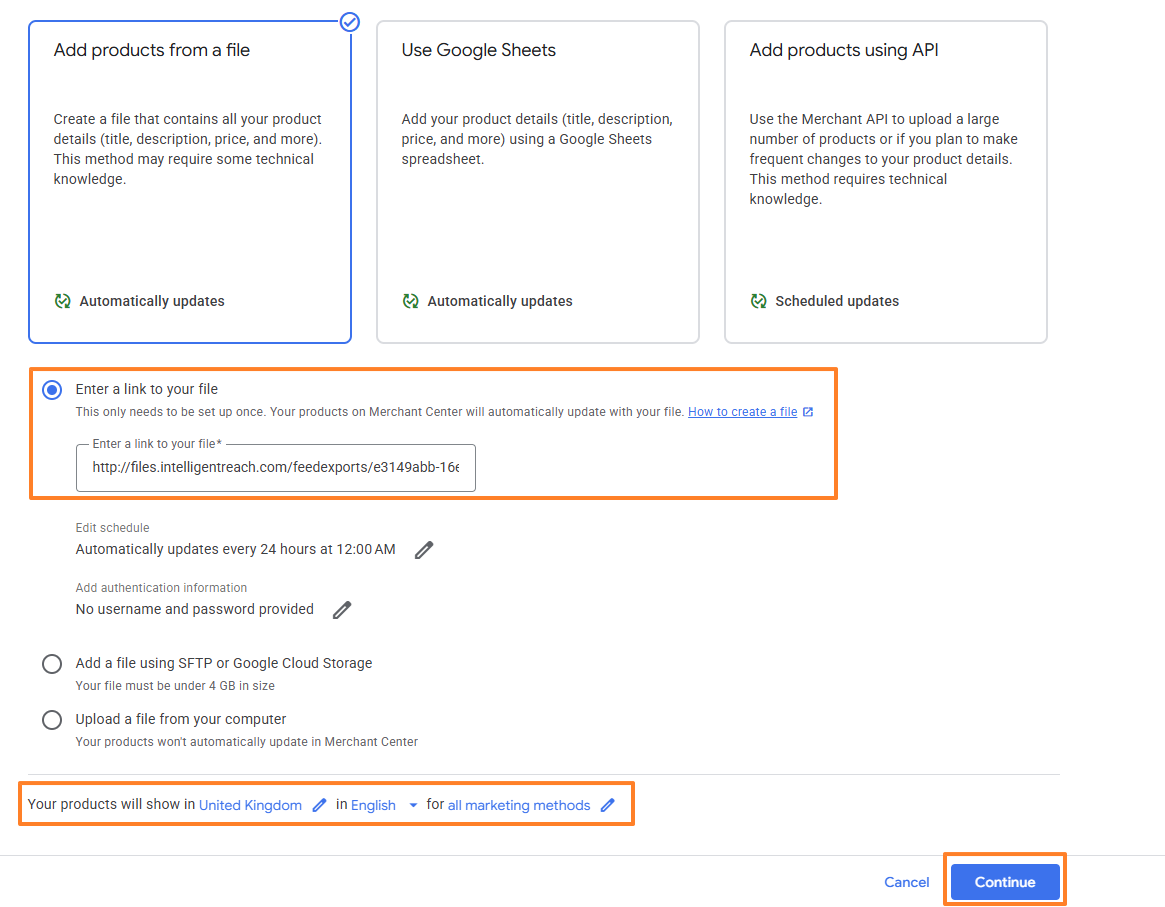
Click Add products from a file and Enter a link to your file
Navigate back to the platform to get the Feed URL. Click Data and then Product Viewer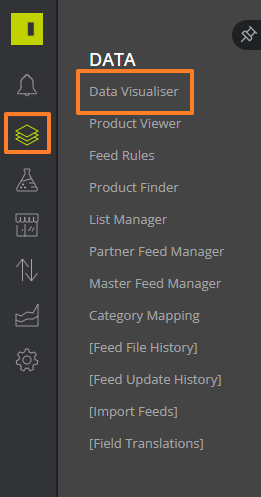
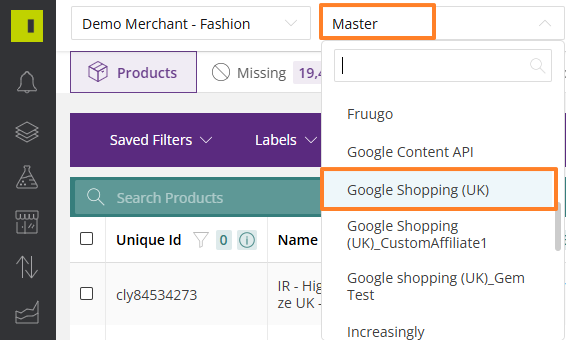
In the drop down select your Google Shopping Feed
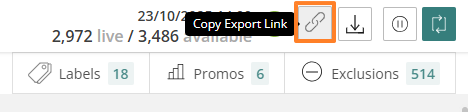
In the top right hand corner, click the link button to copy the URL
Navigate back to the GMC, copy in the URL, check your settings for country, language and marketing. Then click continue.
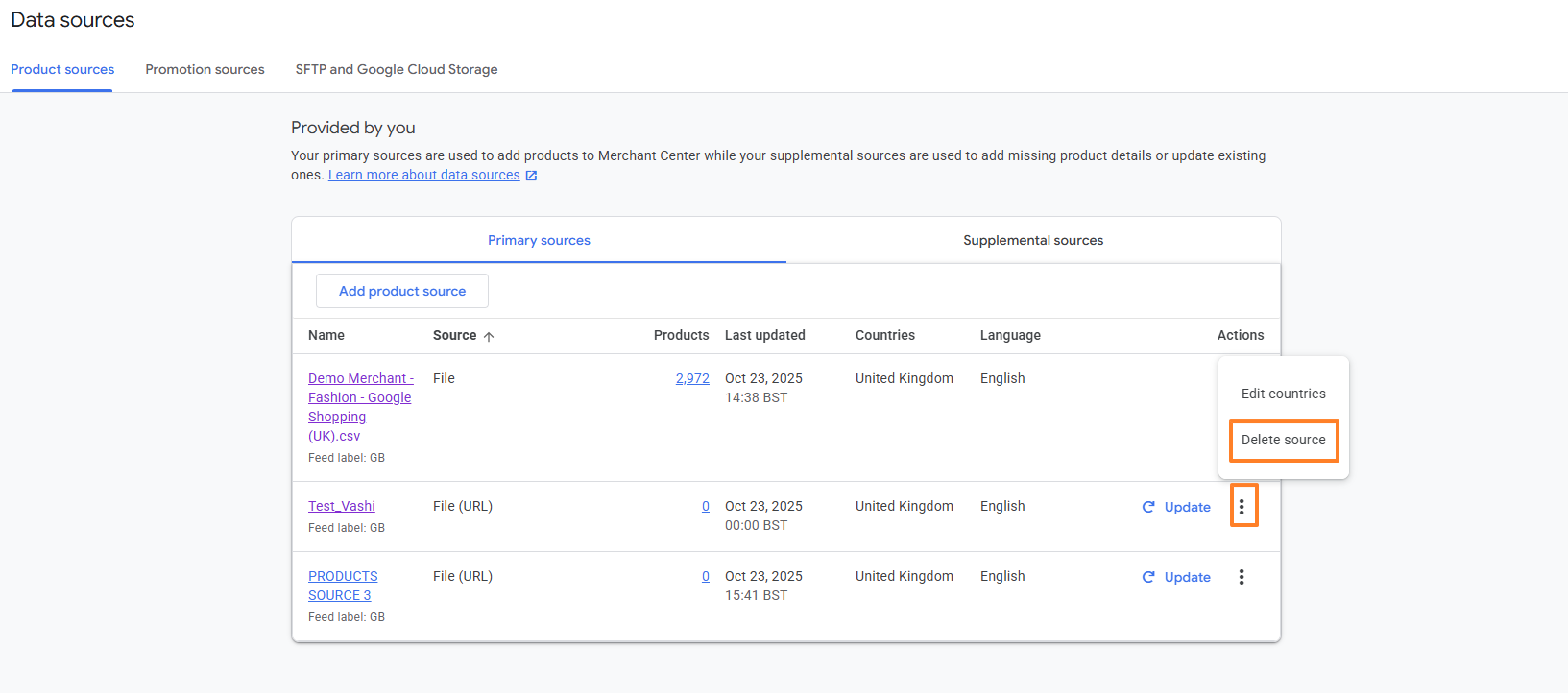
You can then go back to Data Source, click the ellipsis on the test feed and delete this off
Comments
0 comments
Article is closed for comments.